Guide
Sharing a canal trip
Turn a route you’ve planned into a shareable itinerary – ideal for planning a cruise with friends or family.
-
1
Start from a saved route
In your dashboard, open Trips and create one from any route you’ve saved.
Open your dashboard →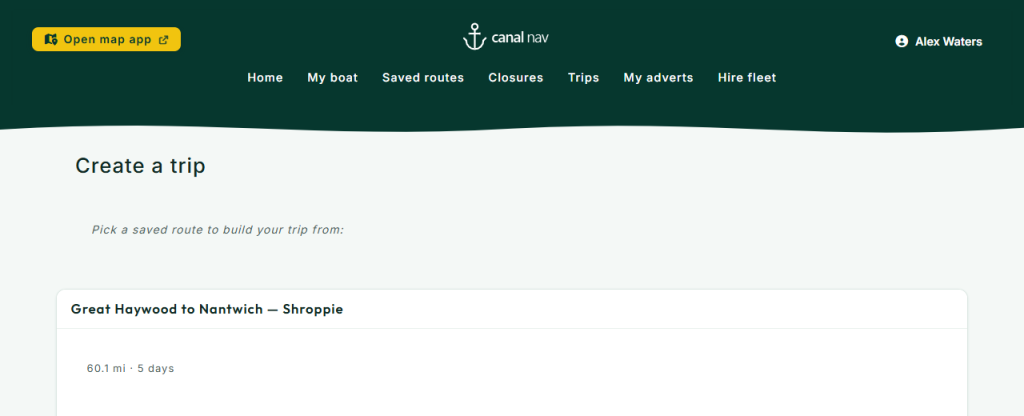
Start from a saved route -
2
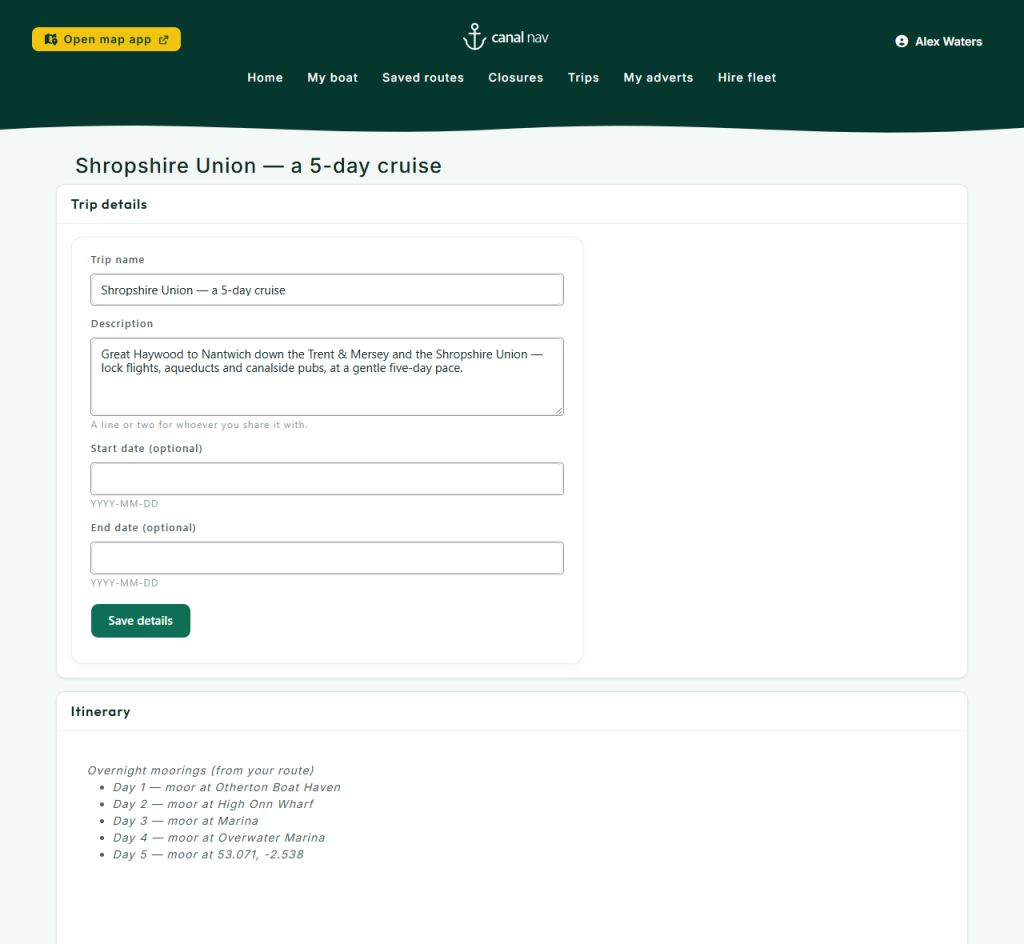
Add lunch stops & landmarks
Add the spots worth stopping for – a canalside pub, a favourite mooring, a landmark – by name and note, or drop them straight onto the embedded map. Your overnight moorings fill in from the route automatically.
Add lunch stops & landmarks -
3
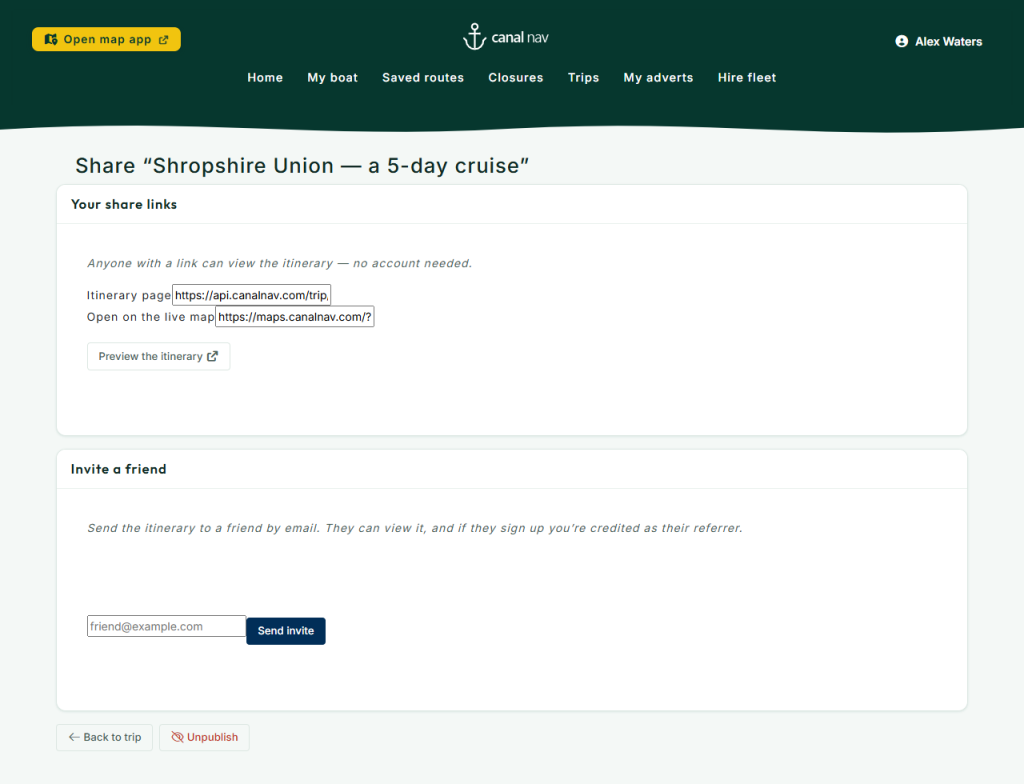
Share the itinerary
Publish to get a read-only itinerary link and a printable PDF. Whoever you send it to can see the whole plan – no account needed – and open it on the live map.
Share the itinerary -
4
Invite a friend
Send the itinerary by email straight from the share page. When paid plans launch, a friend who joins and subscribes to Plus earns you both a free month.
Invite a friend